 LiveStudy
ライブスタディ
LiveStudy
A quiet way to start studying together.
LiveStudy is an iPhone app that shows how many people have the app open and how many are in each study group. Open the focus screen to study with a clock and a background of your choice.
The App Store release is in preparation.
See how it works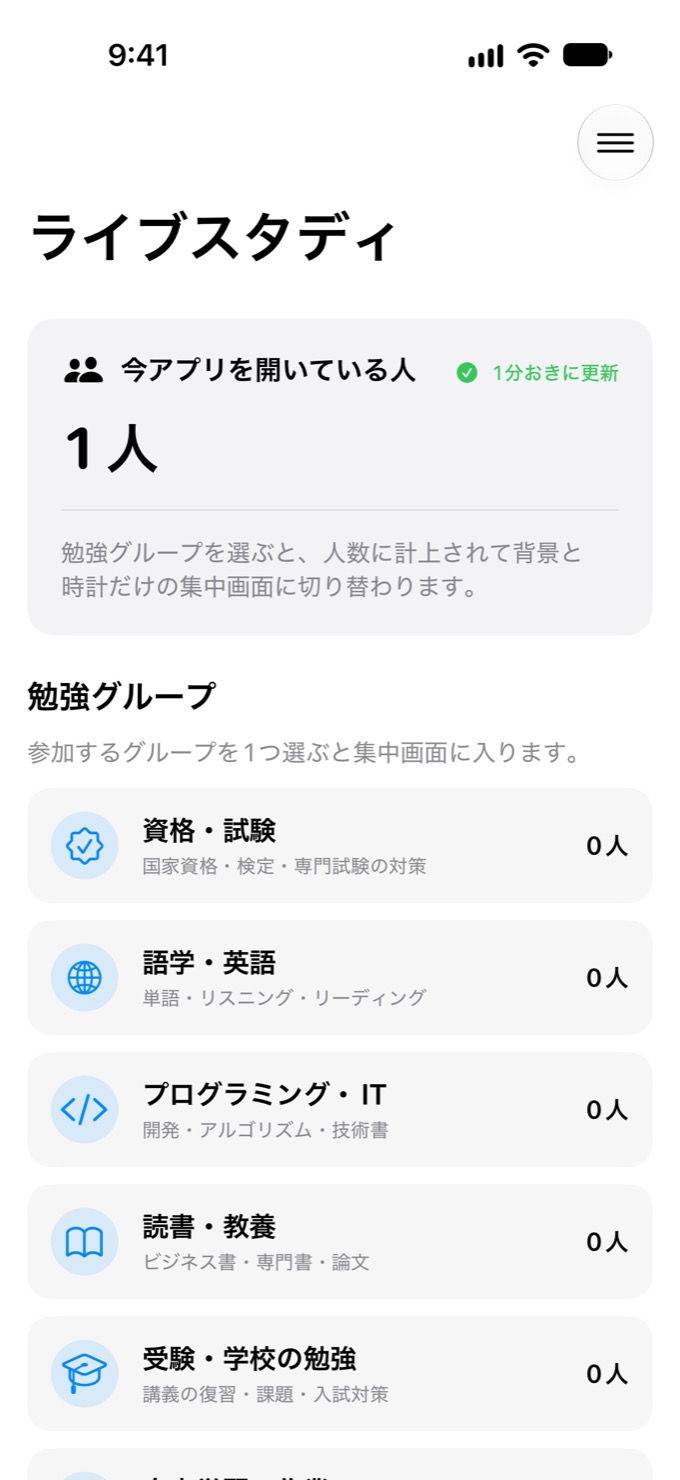
From opening the app to studying
See who is studying by count
The home screen shows the total number of people with LiveStudy open and the count for each group. The display refreshes approximately once a minute while connected.
Choose a study group
Choose from certifications and exams, languages and English, programming and IT, reading and general education, school and entrance exams, or independent study and work.
Start on the focus screen
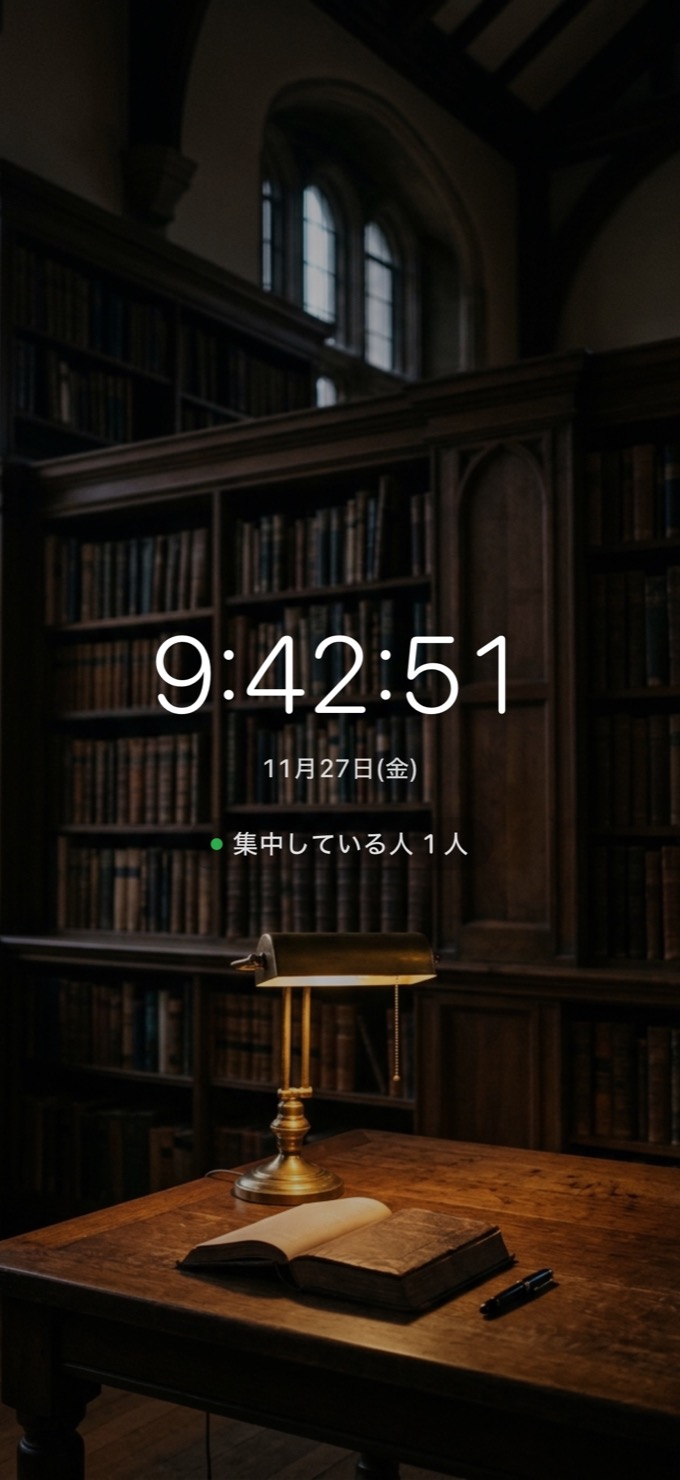
The focus screen shows the background, clock, and group count. Tap to open the menu and choose from ten backgrounds and six clock styles.
Frequently asked questions
- How do I study with other people?
- The app shows how many people selected the same group. You study with your own materials. LiveStudy has no user profiles, camera, voice calls, or chat.
- What do the numbers count?
- The total counts people with LiveStudy open in the foreground. Each group counts people who have selected that group.
- Do I need to sign up?
- You do not enter a name or email address. The app uses anonymous authentication to count participation. See the privacy policy in Japanese.
- Can I quiet iPhone notifications while I study?
- You can set up an iPhone Focus to turn on when you open LiveStudy. Your Focus settings control which notifications are silenced. The app home screen links to setup instructions.
- Where can I download LiveStudy?
- The app is in preparation for iPhones running iOS 17 or later. An App Store link will appear here after release. The app screens shown are in Japanese.